Sample Transcript & Search Forms for TargetTrack
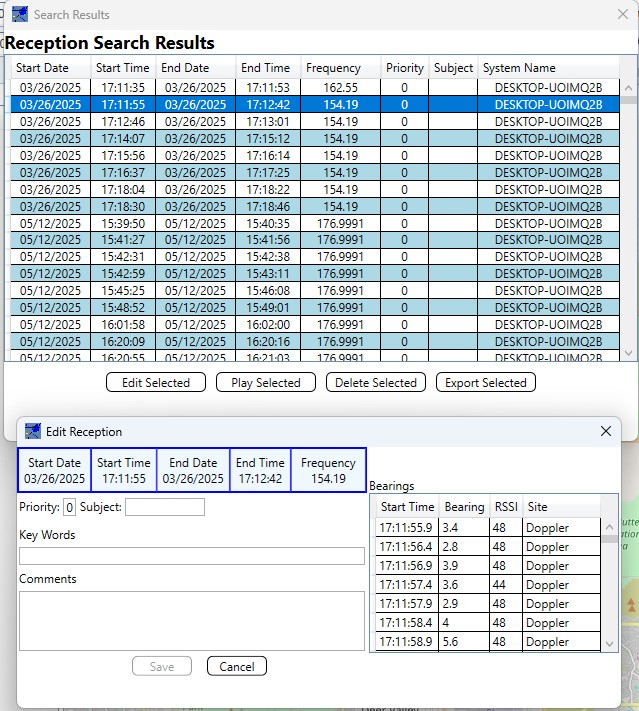
TargetTrack 4 allows the user to enter information about each reception (received signal with audio and bearing data). The TargetTrack 4 database stores this information. In addition, you can search the database for data in the reception. This allows users to easily find recorded audio and bearing data for a particular reception or for a number of receptions. For instance, if a user wants to view all the data collected on a certain frequency, then enter the frequency and press the Search button. TargetTrack 4 will pull up all the receptions on that frequency. The user can then view and edit the transcript of the data or play the data back on the screen. For example, see the sample forms of our TargetTrack 4 software below.